

Step 1: Go to the Playground Section
Show Content
Show Content
Navigate to Maestro Playground from the left-hand menu in AI21 Studio.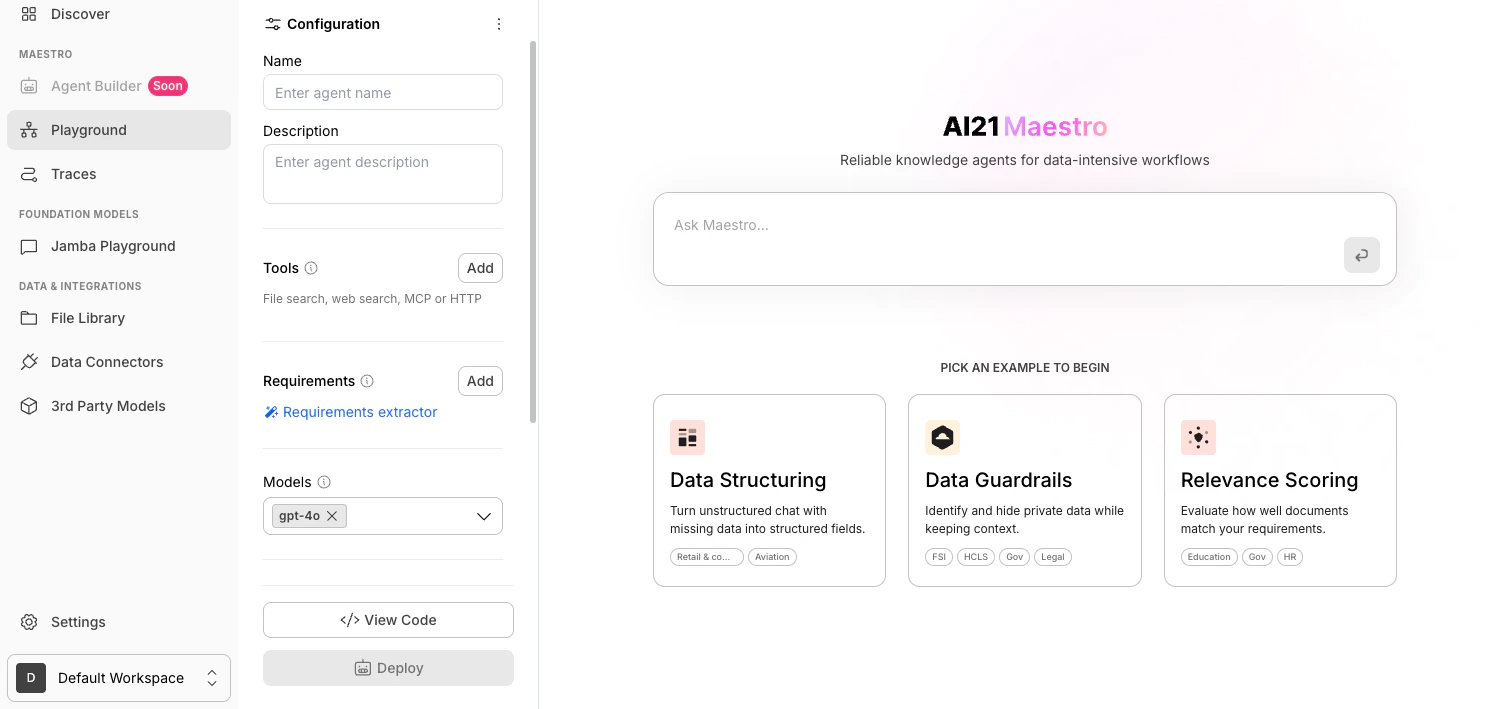
Step 2: Add a Tool
Show Content
Show Content
In the Configuration panel, go to the Tools section and click Add.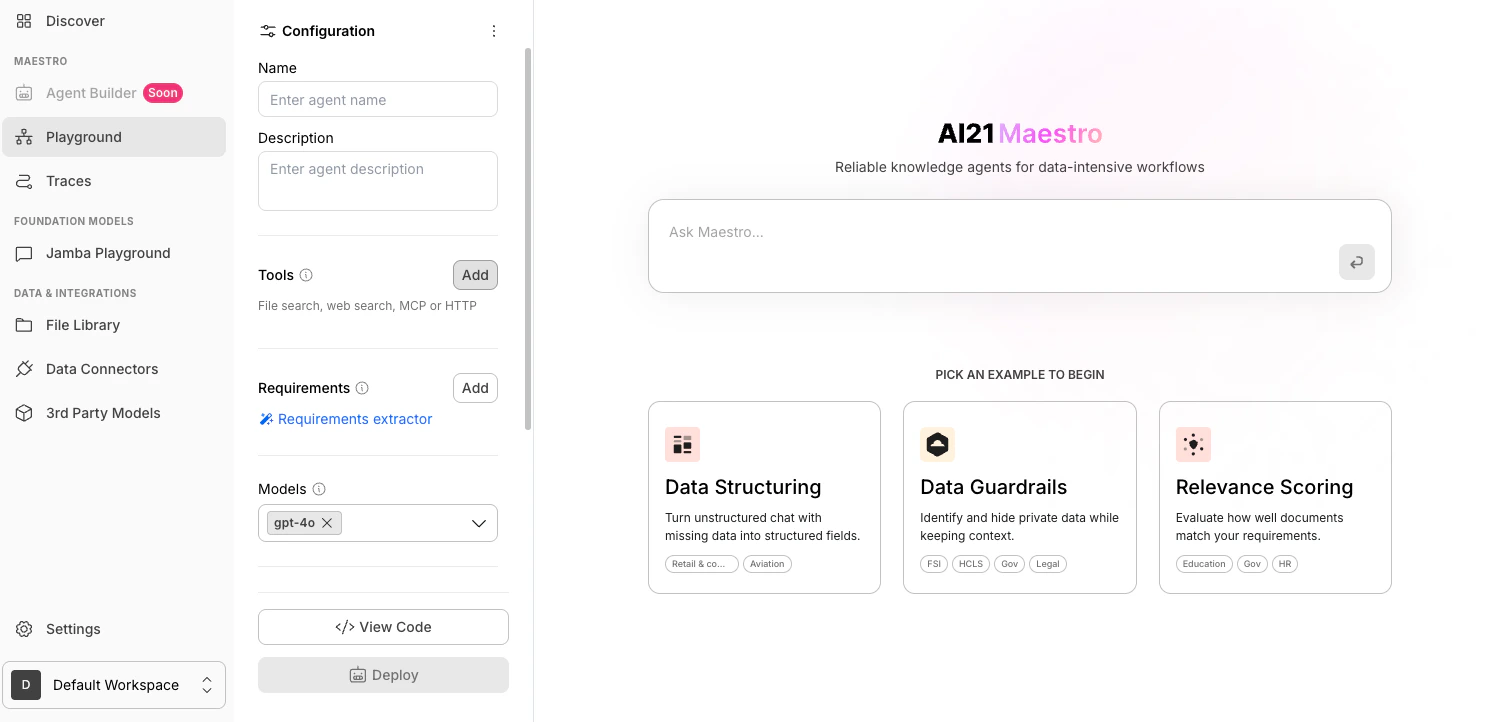
Step 3: Select Web Search
Show Content
Show Content
In the tools dropdown, select Web search.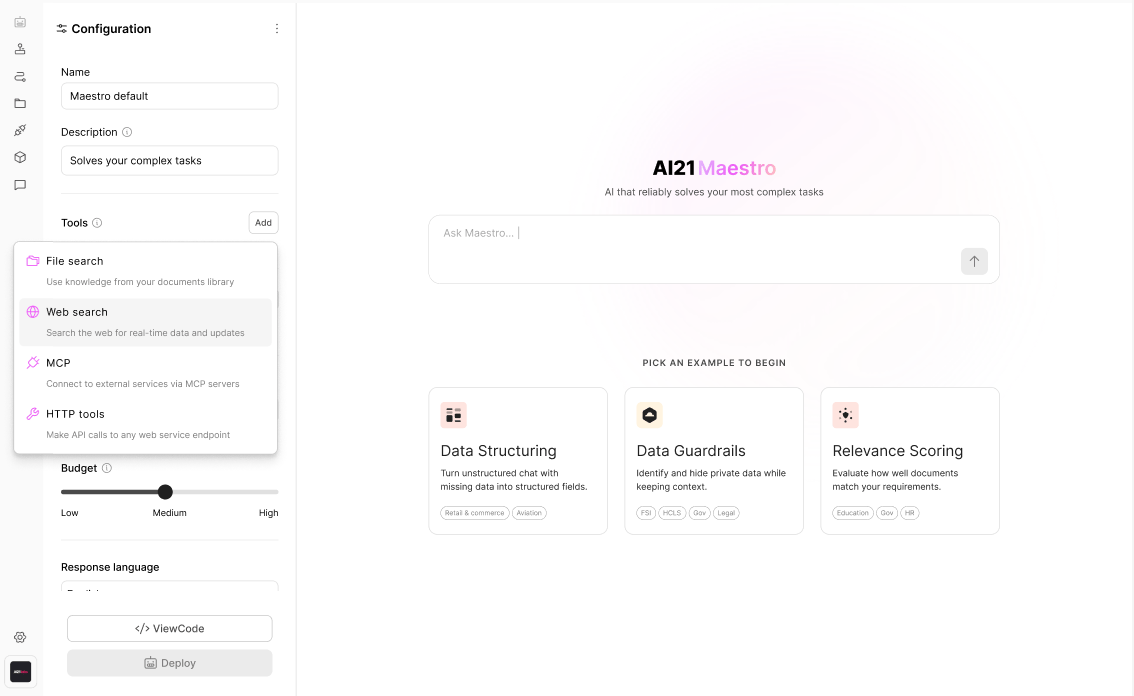
Step 4: Specify the Websites You Want to Search
Show Content
Show Content
Enter the websites you want to use (for example: bbc.com, techcrunch.com).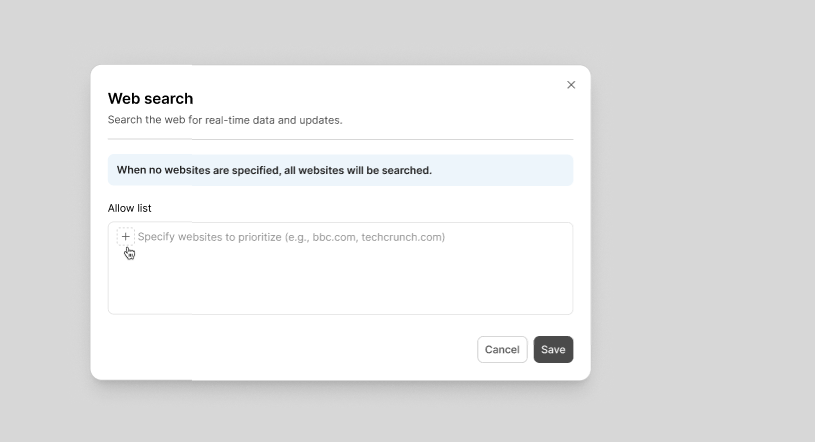
When no websites are specified, all websites will be searched.