

Follow these steps to give your agent access to external APIs.
Step 1: Go to the Playground Section
Show Content
Show Content
Navigate to Maestro Playground from the left-hand menu in AI21 Studio.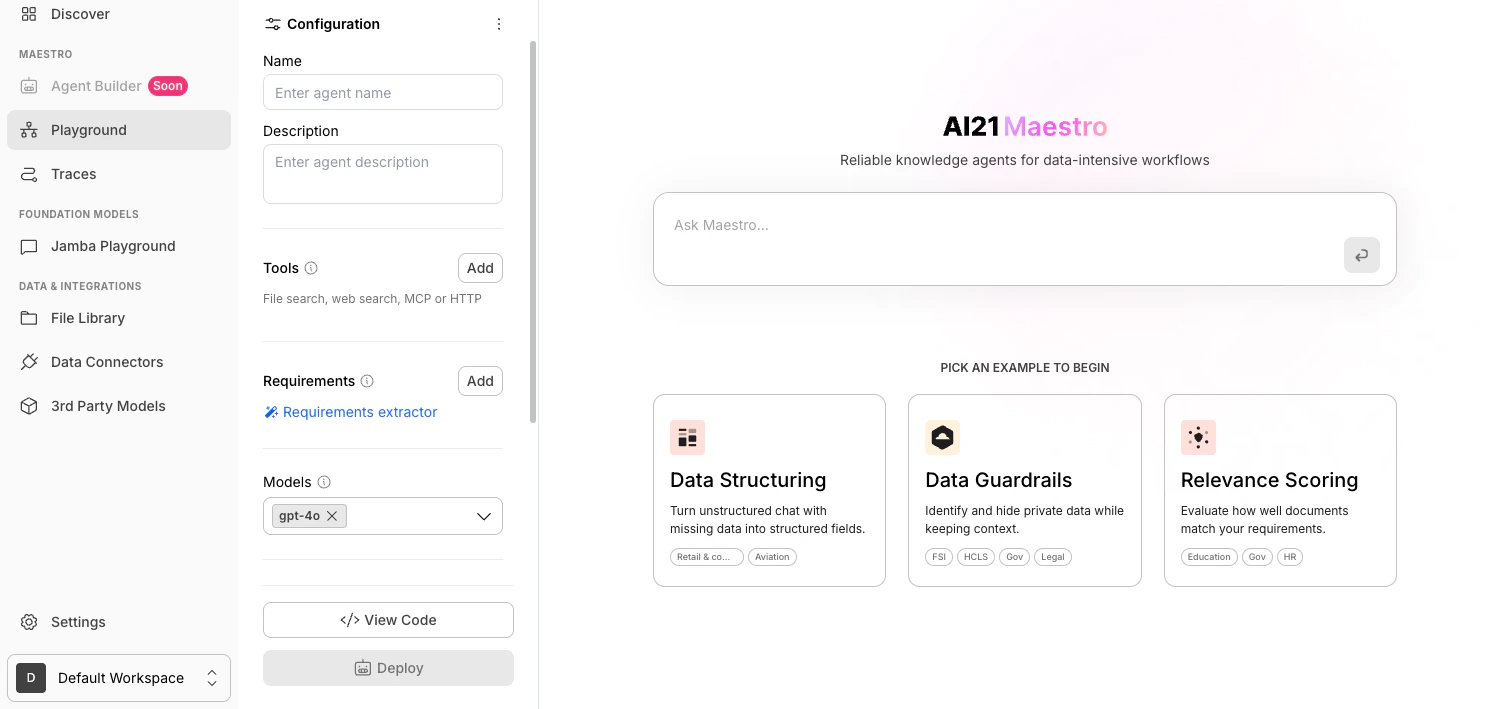
Step 2: Add a Tool
Show Content
Show Content
In the Configuration panel, go to the Tools section and click Add.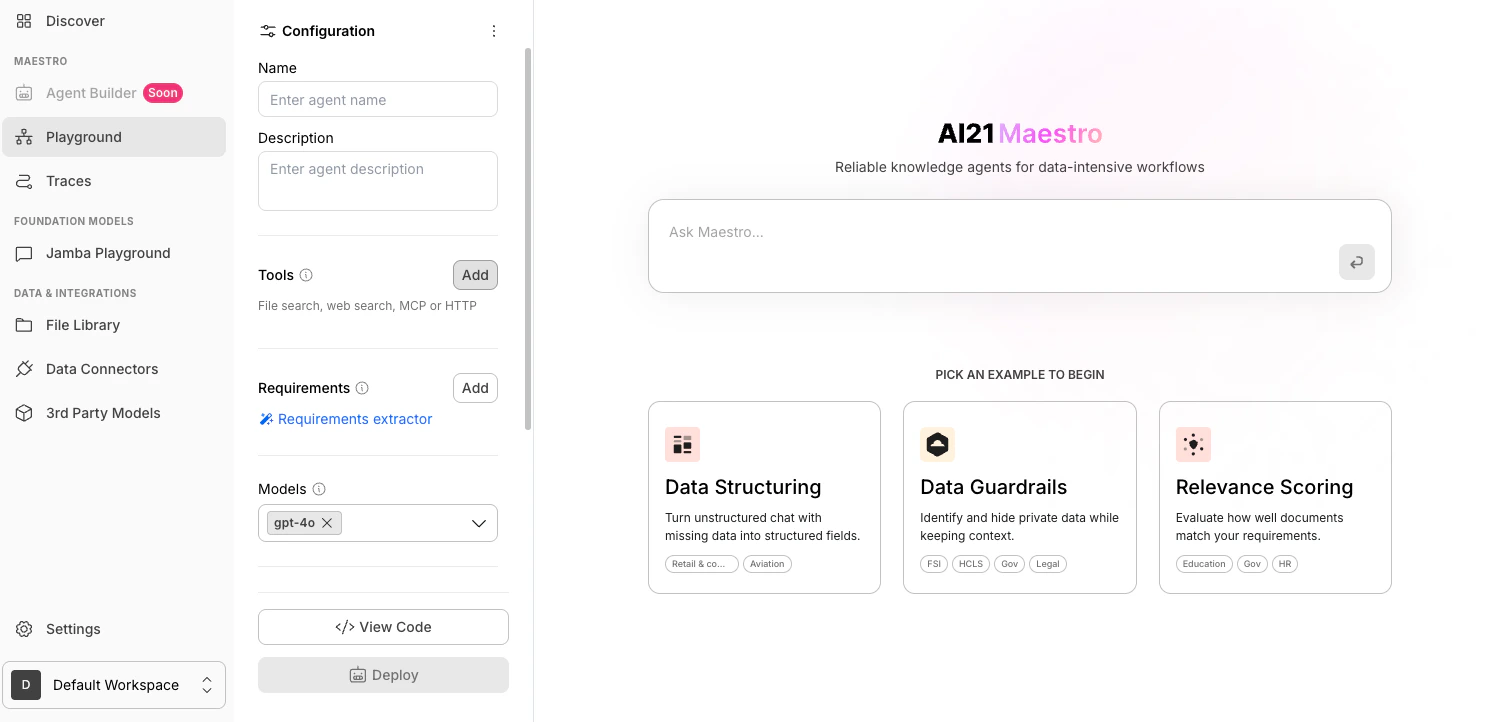
Step 3: Select HTTP Tools
Show Content
Show Content
In the tools dropdown, select MCP.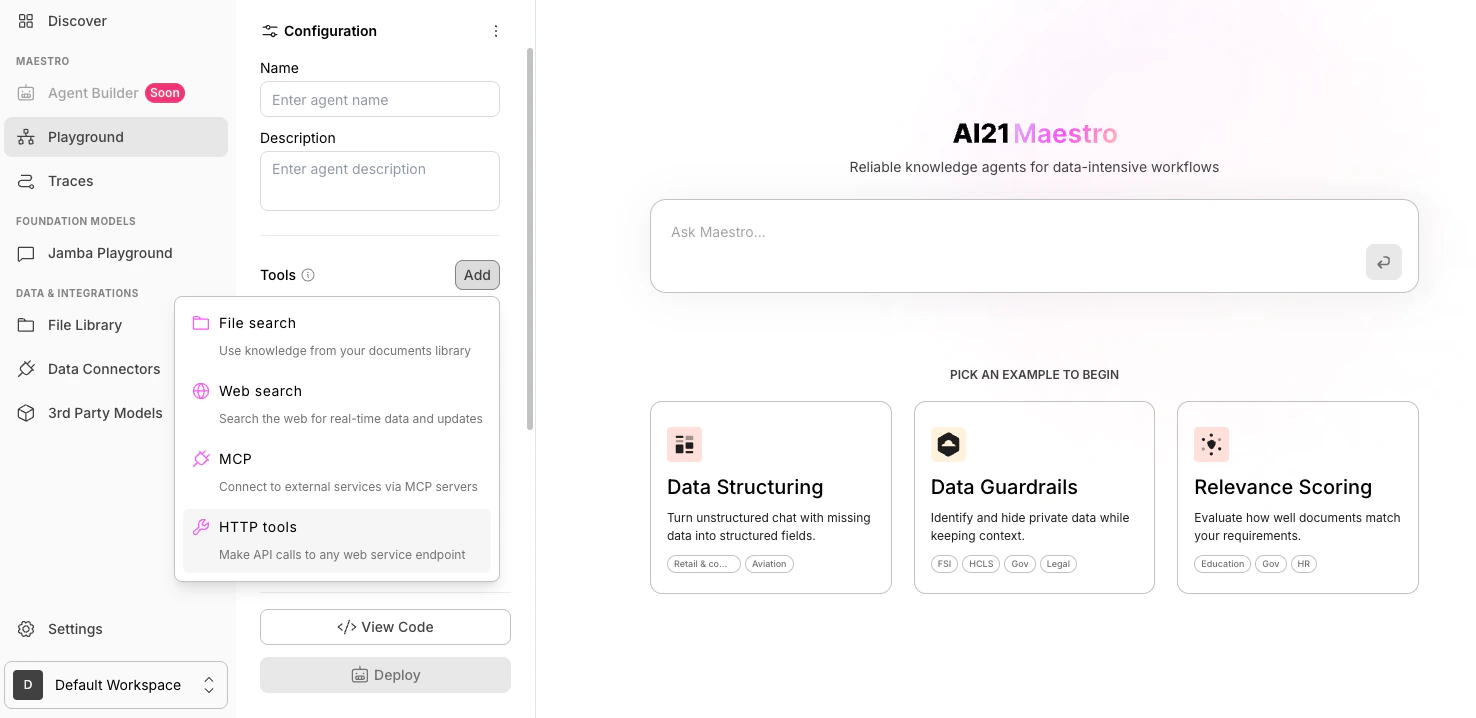
Step 4: Fill in the Fields
Show Content
Show Content
4.1 Define the JSON Schema
Provide the JSON schema that describes the API operation you want to connect.
Add the API endpoint URL that the tool should call.
Use the full URL, for example: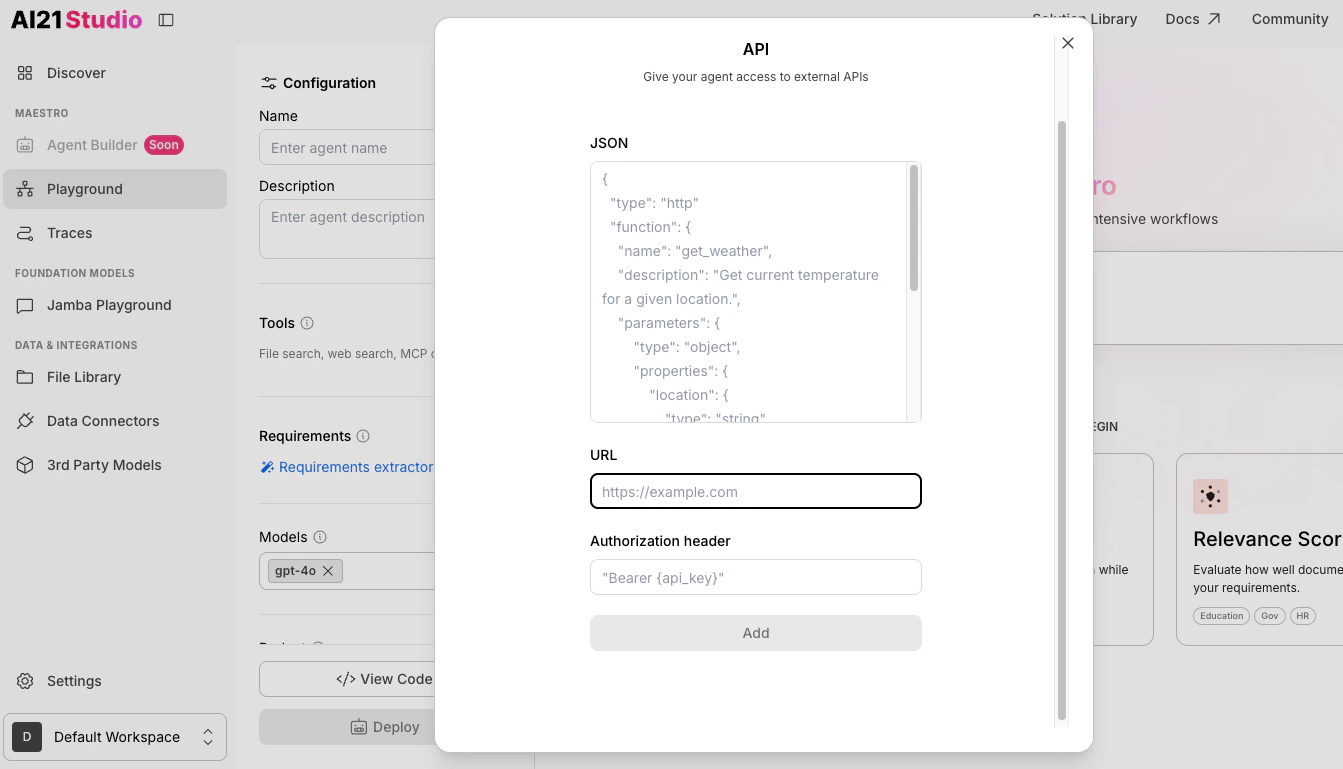
If your API requires authentication, enter the authorization header
(for example,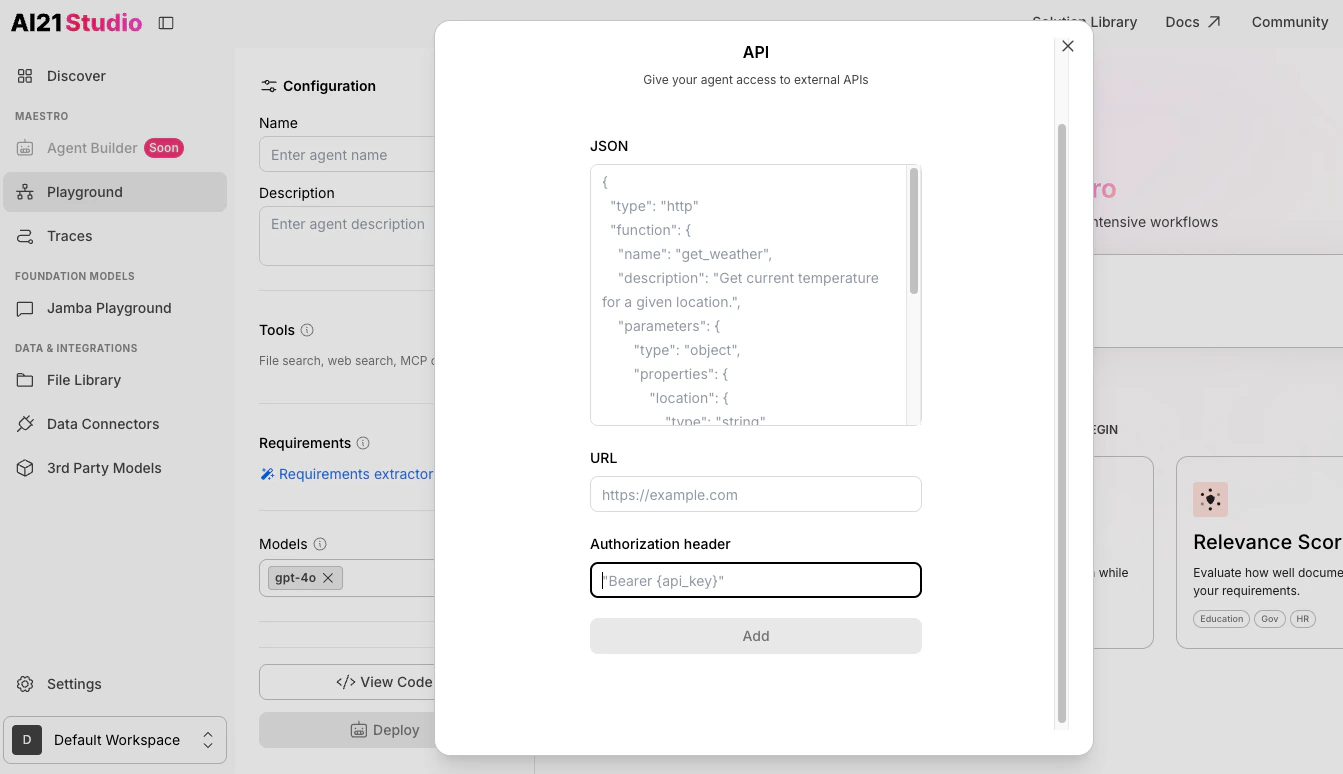
Provide the JSON schema that describes the API operation you want to connect.
- This schema defines the function name, description, parameters, and their types.
-
Use the exact schema of the API you want your agent to call.
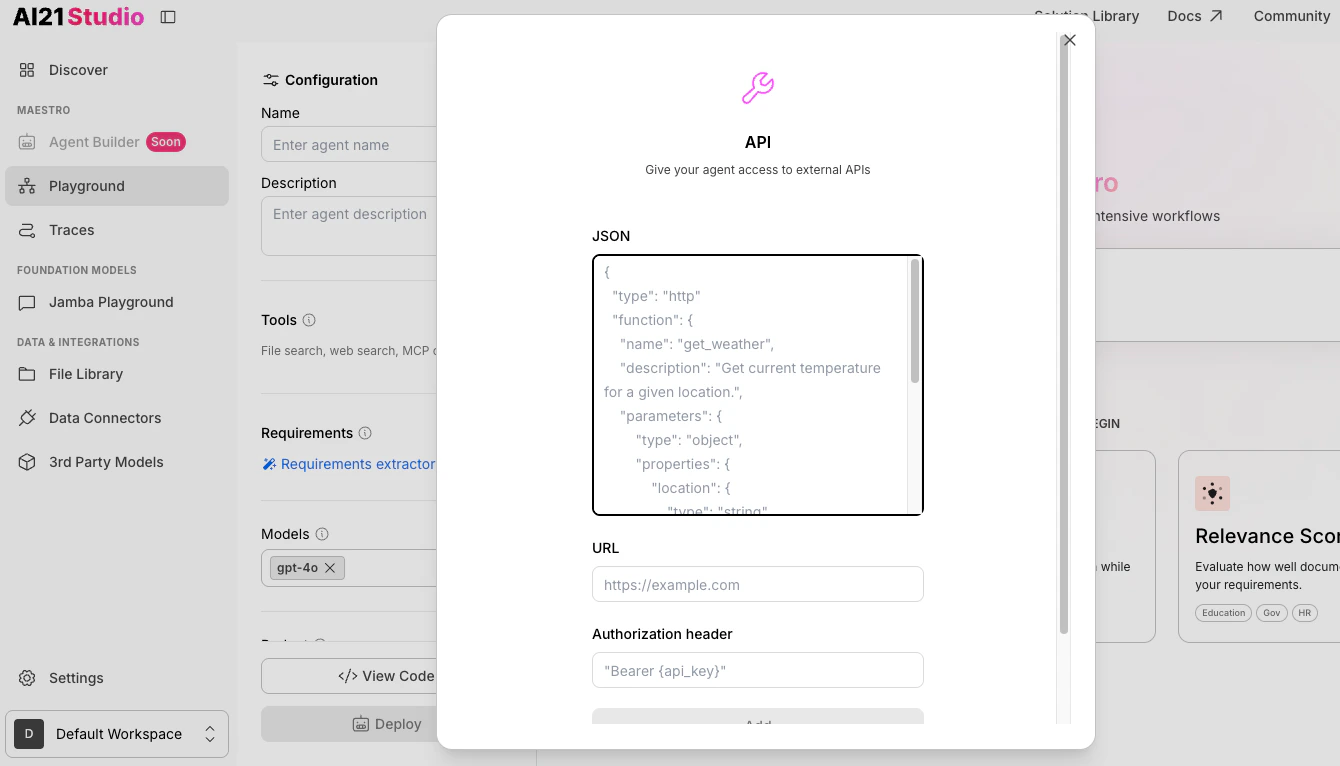
Add the API endpoint URL that the tool should call.
Use the full URL, for example:
https://api.example.com/weather.If your API requires authentication, enter the authorization header
(for example,
Bearer {api_key}).AI21 Maestro does not store your API credentials or any provided header.
Step 5: Add the HTTP Tool
Show Content
Show Content
After verifying the tools are correct, click Add.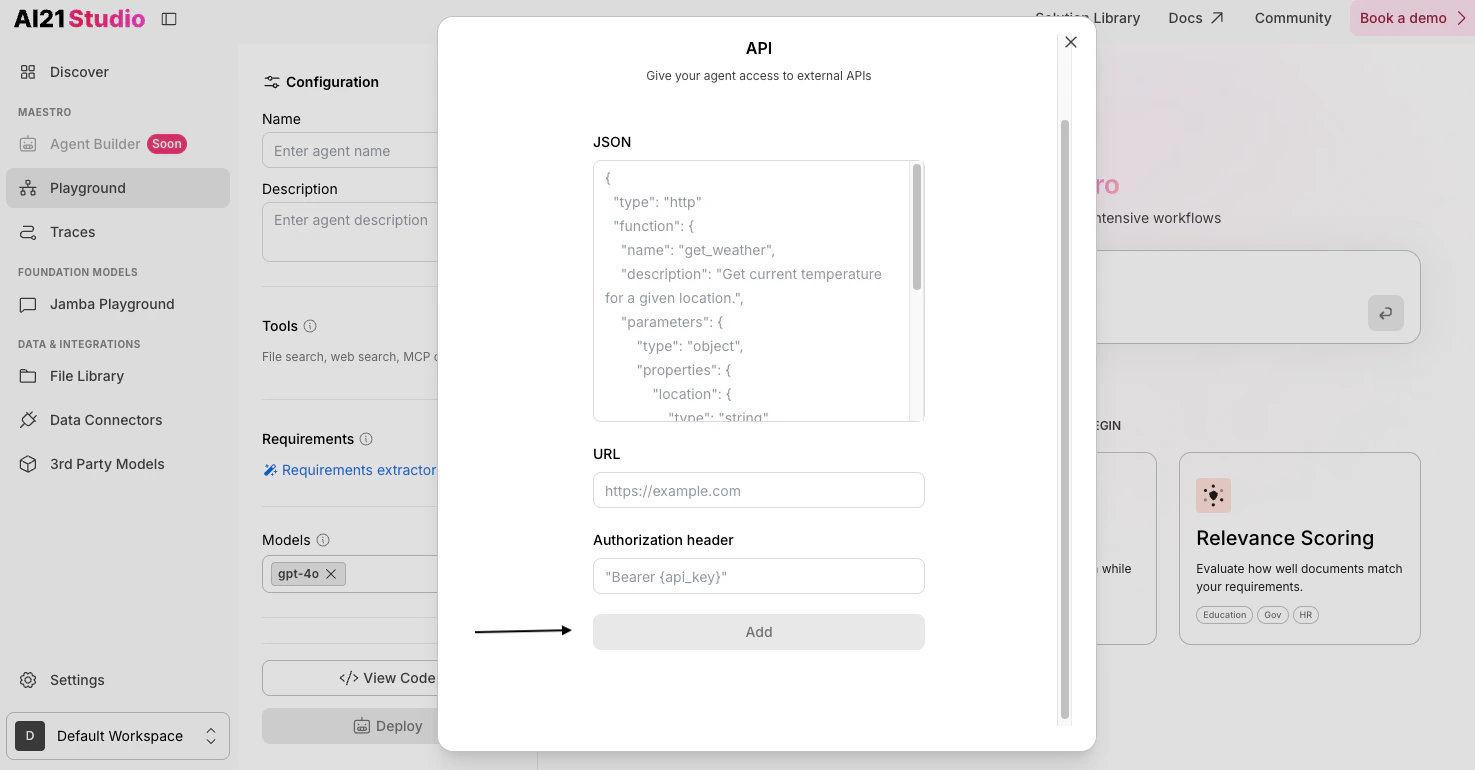
Step 6 (Optional): Edit HTTP Tools
Show Content
Show Content
Edit an existing MCP tool by following these steps: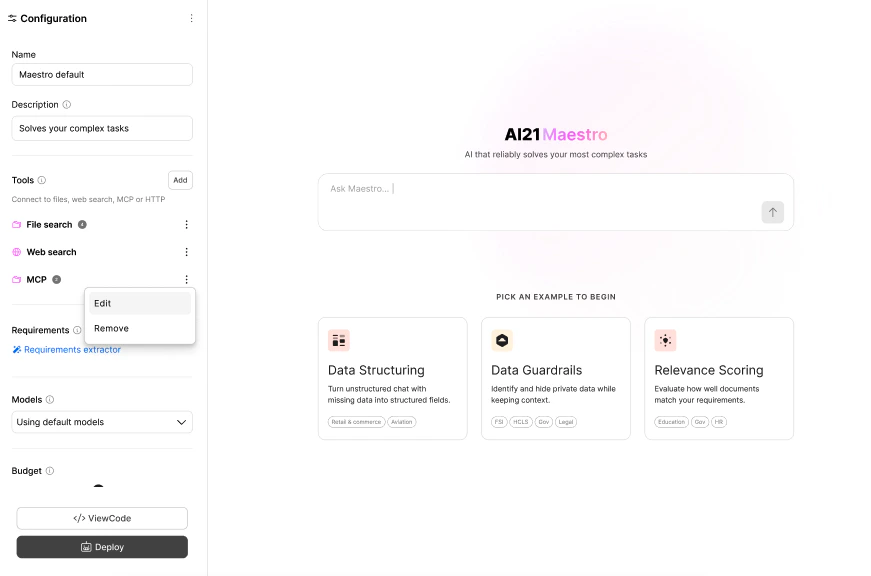
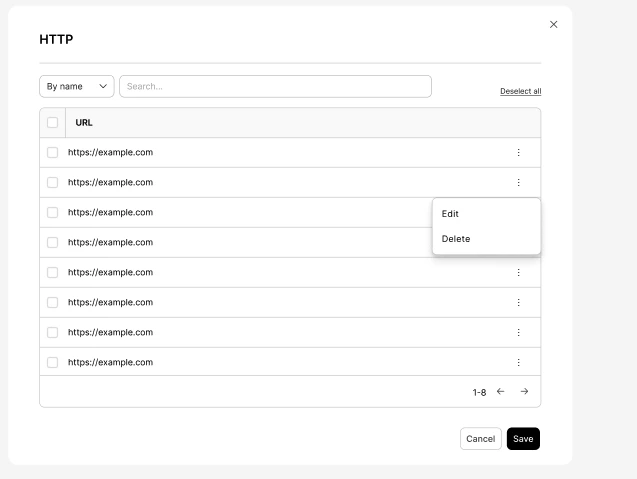
- Click the ⋮ (colon icon).
- Select Edit, make your changes, and click Save.