> ## Documentation Index
> Fetch the complete documentation index at: https://docs.ai21.com/llms.txt
> Use this file to discover all available pages before exploring further.
# File Search
> How to Use File Search in AI21 Studio
Follow these steps to use documents to provide AI21 Maestro more context.
### Step 1: **Go to the Playground Section**
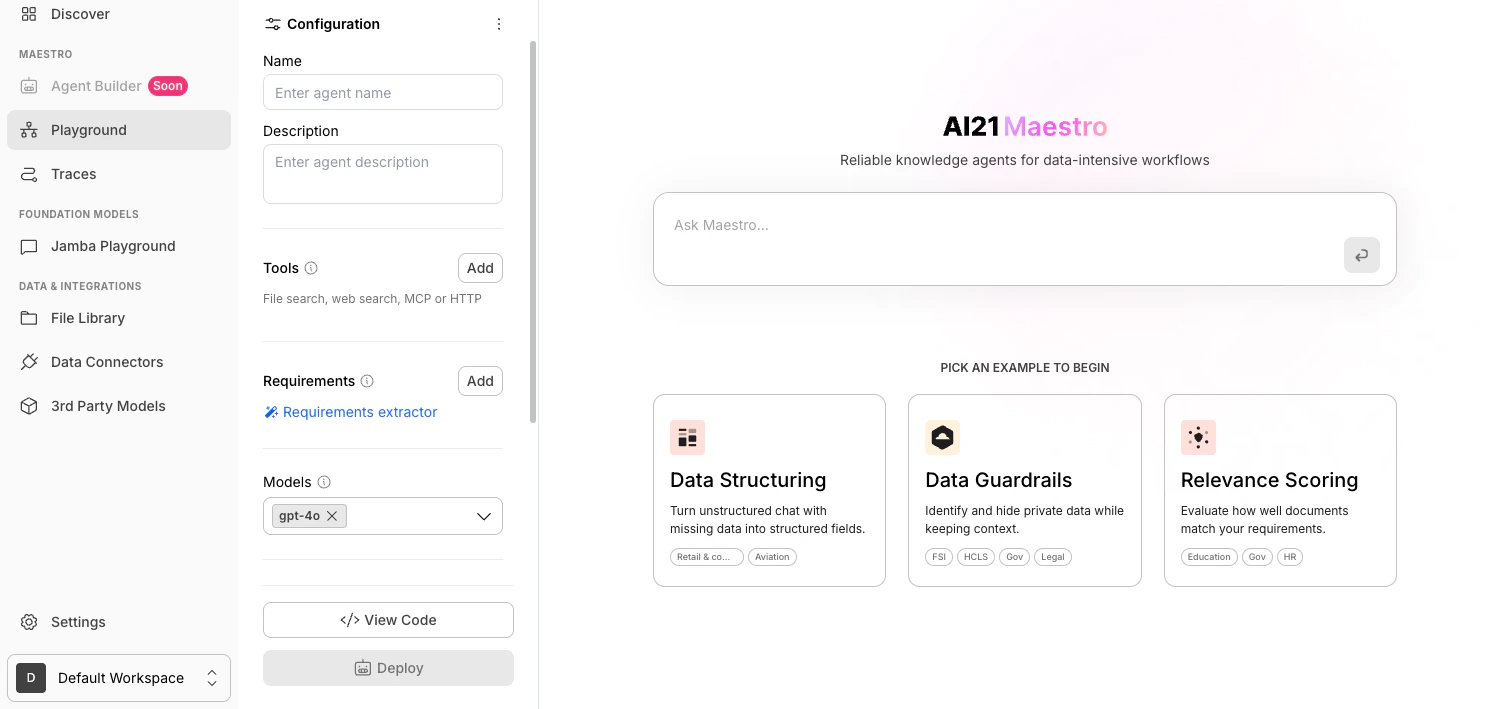
Navigate to Maestro [**Playground**](https://studio.ai21.com/v2?tab=maestro) from the left-hand menu in AI21 Studio.
 ### Step 2: Add a Tool
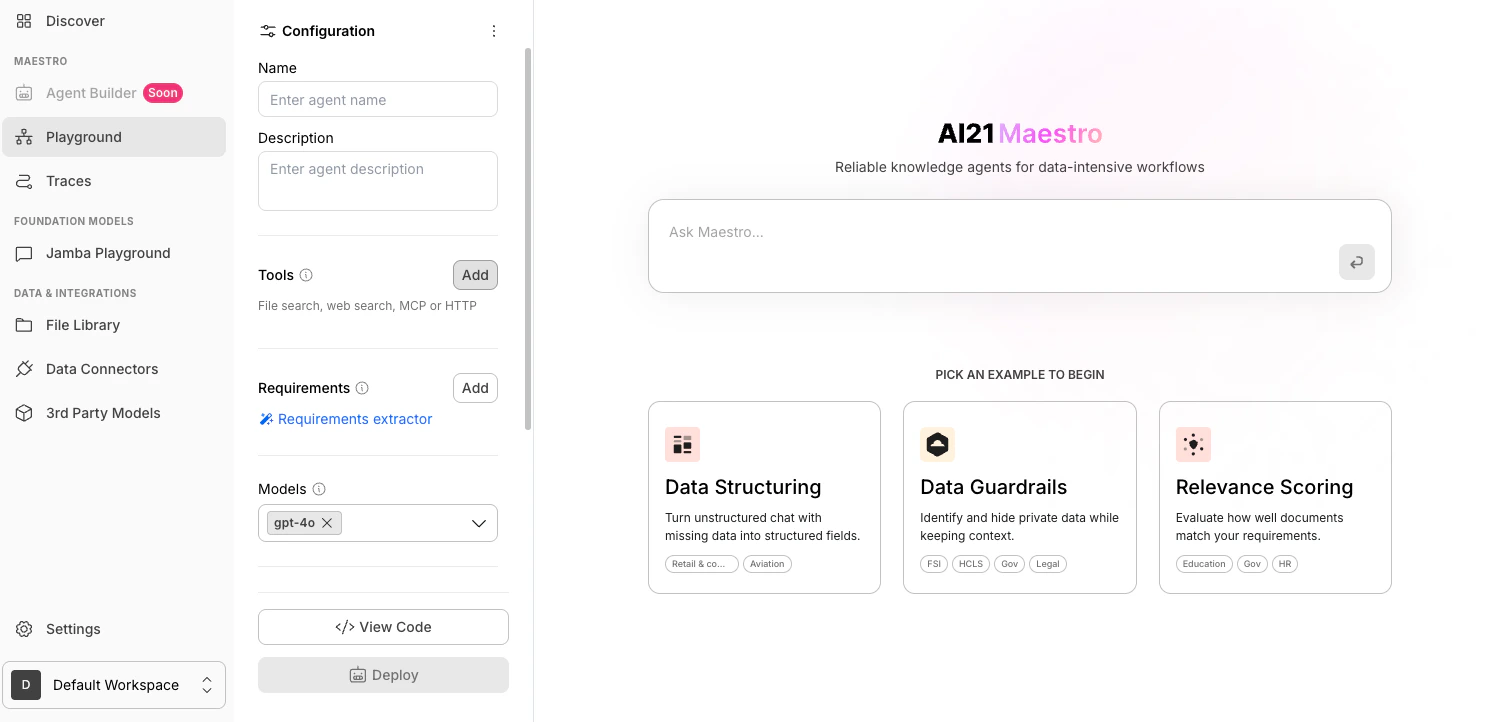
In the **Configuration** panel, go to the **Tools** section and click **Add**.
### Step 2: Add a Tool
In the **Configuration** panel, go to the **Tools** section and click **Add**.
 ### **Step 3: Select File Search**
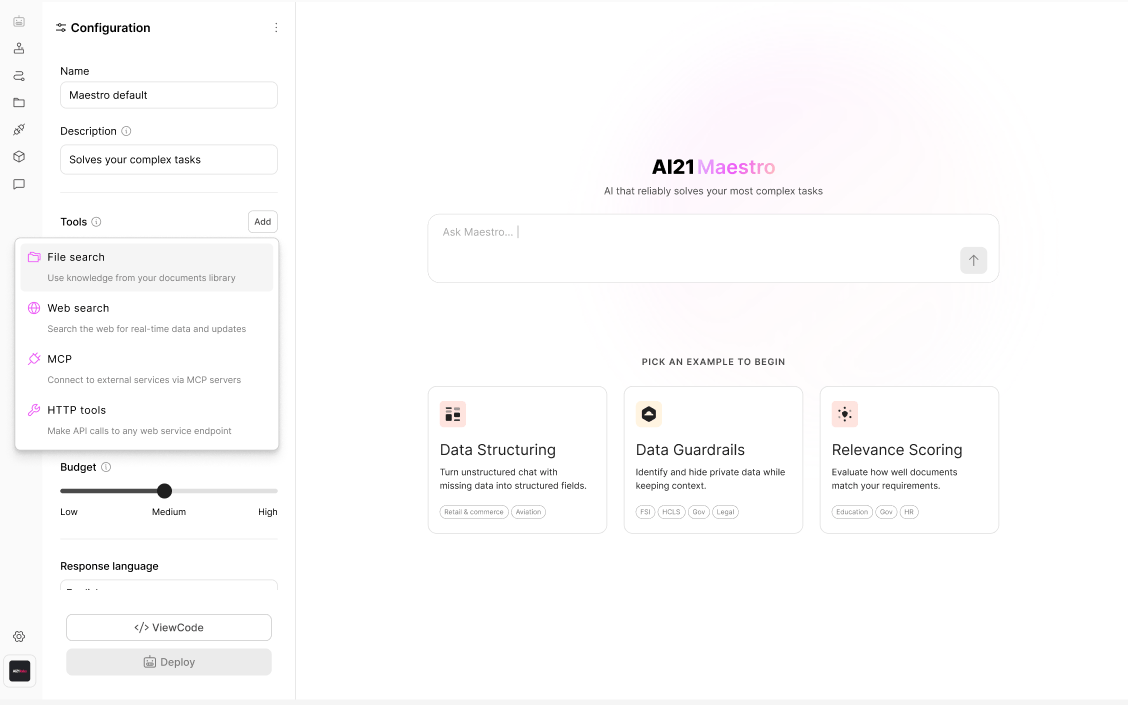
In the tools dropdown, select **File search**.
### **Step 3: Select File Search**
In the tools dropdown, select **File search**.
 ### **Step 4: Select Documents from Your File Library**
Choose the documents you want to use from your **File Library**.
### **Step 4: Select Documents from Your File Library**
Choose the documents you want to use from your **File Library**.
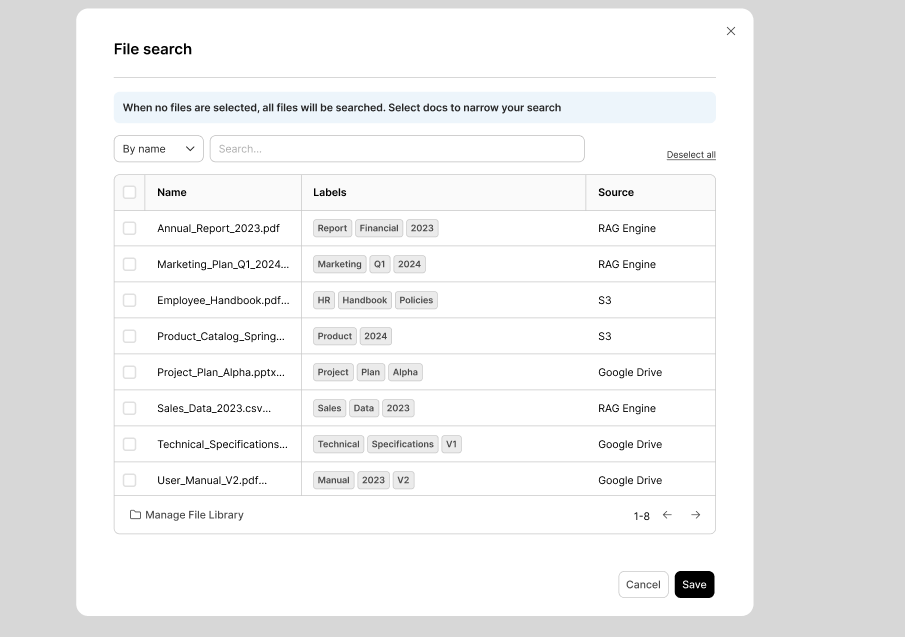 When no files are selected, all files will be searched. Select docs to narrow your search.
### Save the Files You Want to Search
After verifying that the files are correct, click **Save**.
When no files are selected, all files will be searched. Select docs to narrow your search.
### Save the Files You Want to Search
After verifying that the files are correct, click **Save**.